In-App Issue Reporting
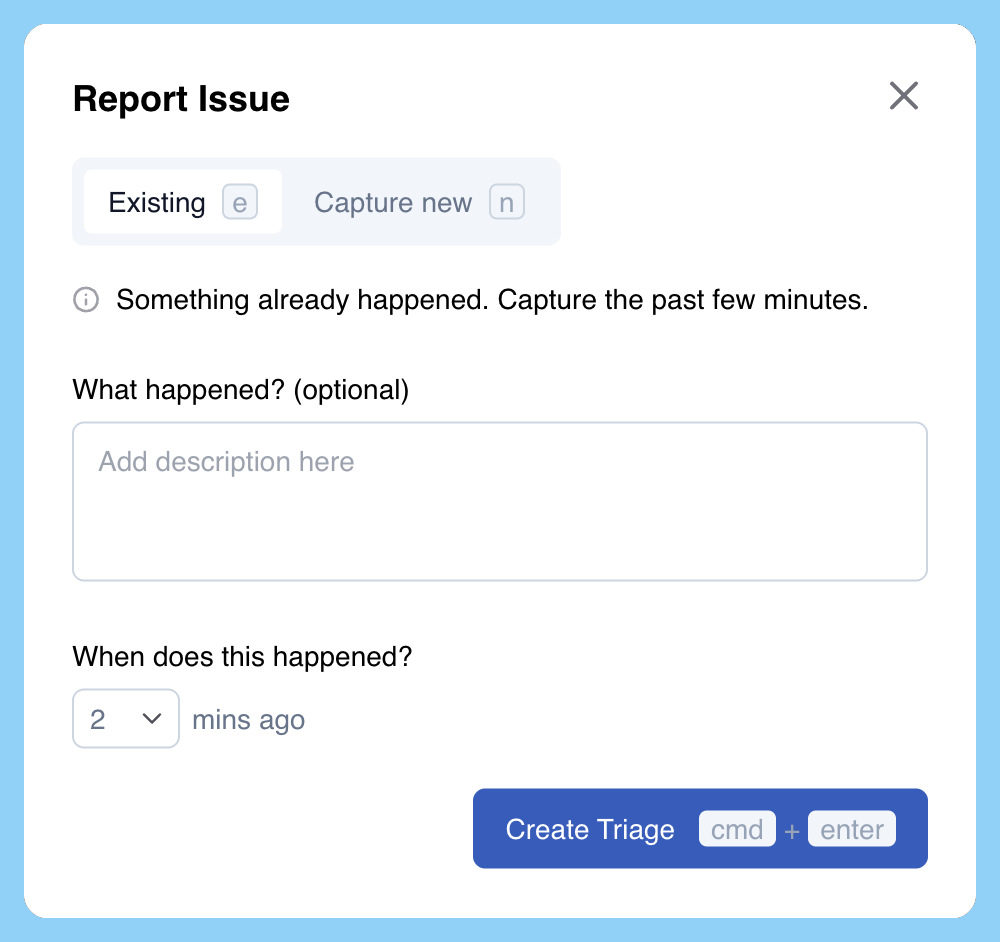
Sailfish's "In-App Reporting Modal" enables users to report bugs without having to leave your application. Users (internal or external) can click a button and report an issue within seconds.
Integrating into your app
Integration is incredibly simple - you can just add the following import in your code
Import the modal popup
import { openReportIssueModal } from "@sailfish-ai/recorder";
Once that's done, you can run the function, openReportIssueModal from a button click, keyboard shortcut, or even your own context menu when a user right-clicks:
openReportIssueModal();
How we integrated it into Sailfish
At Sailfish, we show our modal by using a button-like element to show the modal to users:

Here's how we integrated this into our app (FYI, we use and love Tailwind CSS and React Icons):
Button to show modal
import { openReportIssueModal } from "@sailfish-ai/recorder";
import { MdOutlineBugReport } from "react-icons/md";

const App = () => {
  // ...other code
  return (
    <body>
      <Sidebar>
        <div
          className='flex items-center px-[20px] h-fit'
          onClick={openReportIssueModal}
          role='button'
          tabIndex={0}
          data-testid='help'
        >
          <div className='flex items-center h-fit gap-2.5 rounded-[8px] hover:bg-blue-400 w-full'>
            <span className='flex justify-center w-[35px] h-[35px] items-center'>
              <MdOutlineBugReport size={18} />
            </span>
            Report Issue
          </div>
        </div>
      </Sidebar>
      <MainContent />
    </body>
  );
};